
The Markdown ADR (MADR) Template Explained and Distilled
(Updated: )Reading time: 7 minutes
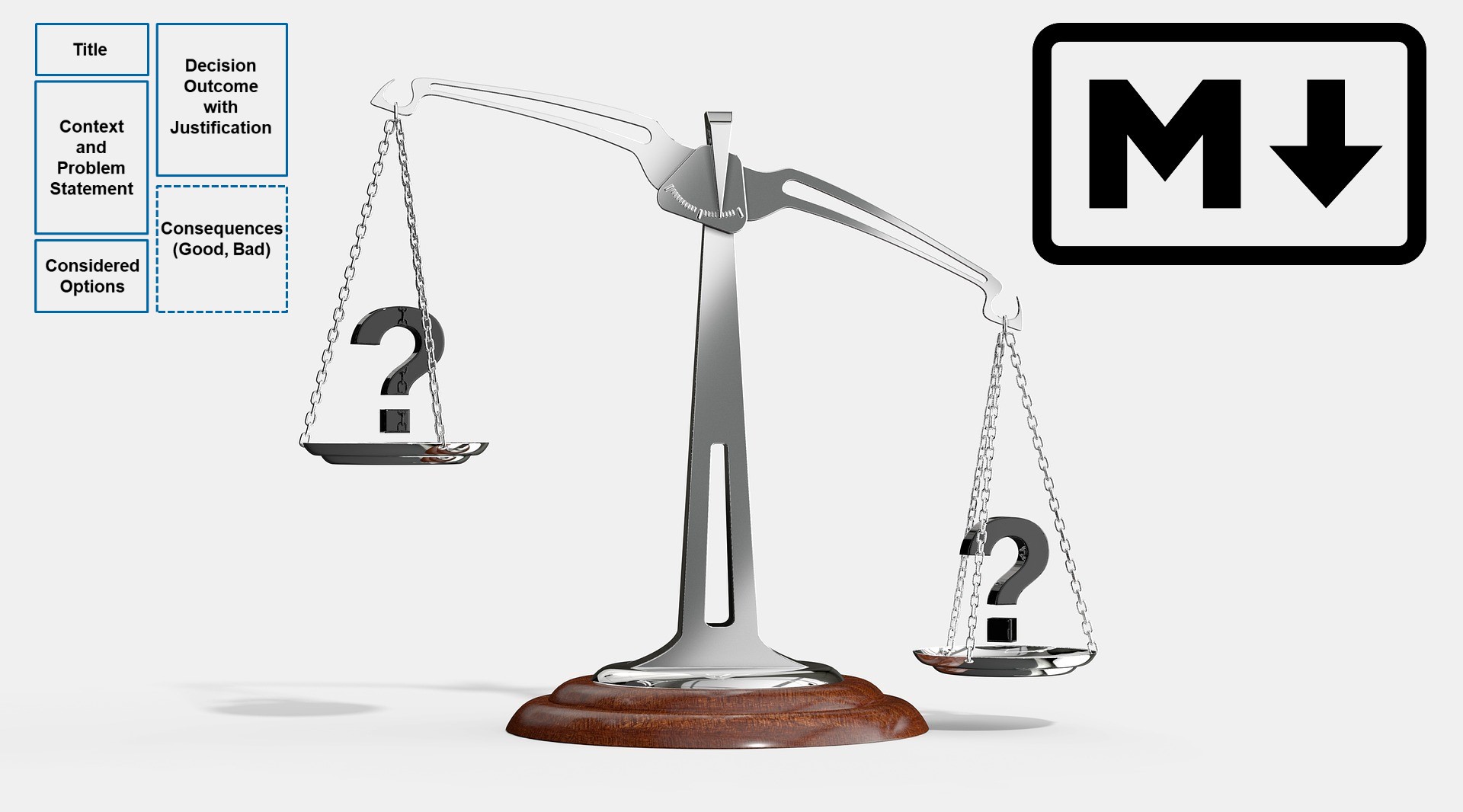
Content Outline
The Markdown Architectural Decision Record (MADR) template has become increasingly popular since its inception in 2017. This post walks you through the template, identifies its essential parts and provides design rationale.
News (March 2026): The abstract ADR template syntax is also available in YAML now, named YAML ADRs or YADR in short. YAML is (almost) as human-readable as Markdown, but can be processed by tools much easier; numerous YAML parsers and other tools exist.
MADR Background and Evolution
The MADR template evolved from previous ADR templates such as Michael Nygard’s ADR proposal in the Cognitect blog and Olaf Zimmermann’s Y-statements. Core parts of previous templates include context, decision and consequences; supplemental parts include status, decision drivers, options with their pros and cons and more information. The community appreciates MADR with 2.100 stars on GitHub.
Version 4.0 renamed some template elements and introduced a minimal variant (without optional elements). Version 3.0 had introduced additional, optional metadata and an optional “Confirmation” section; the sections recording positive and negative “Consequences” were merged to ease copy-paste from the options part.
ADs, ASRs and ADRs Defined. The ADR website defines Architectural Decisions (ADs) as this:
“An Architectural Decision (AD) is a justified software design choice addressing a functional or non-functional requirement that is architecturally significant.”
With architectural significance being characterized as:
“An Architecturally Significant Requirement (ASR) is a requirement that has a measurable effect on a software system’s architecture and quality.”1
An Architectural Decision and a decision log then are:
“An Architectural Decision Record (ADR) captures a single AD and its rationale. […] The collection of ADRs created and maintained in a project constitute its decision log.”
ADRs help you keep CALM:
- Collaborative content creation is enabled.
- Accountability is supported and unnecessary reconsideration of issues avoided.
- Learning opportunities are provided, both for newcomers and for the experienced.
- Management likes them too because it is used to making and executing decisions.
ADRs answer “why this design?” questions, they provide design rationale.
Template Walkthrough
The main contribution of the MADR project and repository is its annotated MADR template (or M-ADR). The structure of the full, elaborate template follows the decision identification, evaluation, making, enforcement journey that a single AD typically goes through:

Let’s investigate the template sections now.
Note that the template uses {this font} for content placeholders.
Title. The title assigns a {name} to the AD so that it can be identified and searched for easily. Ideally, it should convey the essence of the problem solved and the solution chosen.
Metadata. The metadata elements are:
- status:
{proposed | rejected | accepted | deprecated | … | superseded by } - date:
{YYYY-MM-DD}when the decision was last updated - deciders: lists everyone involved in the decision (i.e., those who are responsible and/or accountable)
- consulted: lists everyone whose opinions are sought and with whom there is a two-way communication (such as subject matter experts)
- informed: lists everyone who is kept up-to-date on progress in one-way communication
These five elements are optional; they can be filled out or removed.
Context and Problem Statement. Describes the context and problem statement in a few sentences. One may want to articulate the problem in form of a question or provide an illustrative story that invites to a conversation. Links to collaboration boards or issue management systems can go here too. Traceability information should be given: which part of the system under construction, which part of the architecture (component, connector) does the AD pertain to?
Decision Drivers. Desired qualities, forces, faced concerns and constraints are identified here:
{decision driver 1}- …
Considered Options. This section lists the alternatives (or choices, options, candidate solutions) investigated:
{title/name of option 1}- …
The template recommends listing the chosen option first (as a project-wide convention). One needs to make sure to list options that can solve the given problem in the given context (as documented in Section “Context and Problem Statement”). They should do so on the same level of abstraction. A mistake we have seen in practice is that a technology is compared with a product, or an architectural style with a protocol specification and its implementations. Pseudo-alternatives sometimes can be found too, but do not help.
Decision Outcome. Here, the chosen option is identified and called out explicitly, by its option name (title).
A justification should be given as well:
{name of option 1} because {justification}.
Some examples of justifications are: it is the only option that meets a certain k.o. criterion/decision driver; it resolves a particularly important force well; it comes out best when comparing options. See this post for more valid arguments.
Consequences. This section discusses how problem and solution space look like after the decision is made (and enforced). The section should refer to the context information and the identified decision drivers; multiple stakeholder perspectives usually are taken as different types of stakeholders have different, sometimes conflicting concerns.
Positive and negative consequences are listed as “Good, because …” and “Bad, because …”, respectively. An example for a positive consequence is an improvement of a desired quality. A negative consequence might be extra effort or risk during implementation.
Confirmation (Validation). The purpose of this optional section is to remind everybody who is involved that it is not enough to decide; design and implementation actions are required to bring the AD to life. Architecture, design, and/or code reviews then confirm that this has actually happened, and that the resulting design and implementation (hopefully) are in line with the decision made.
The section describes how the implementation of the ADR is enforced and evaluated, for instance by way of a design/code review or a test. Usage of the evaluation methods such as ATAM or Decision-Centric Architecture Reviews (DCAR) can be reported in it. The template section corresponds to the ‘R’ in the Definition of Done proposed in “A Definition of Done for Architectural Decision Making”; additional hints can be found in that post.
Pros and Cons of the Options.
Here, the alternatives that address the problem can be explained and analyzed more thoroughly.
The template advises providing an example or a description of the option.
Then, “Good” and “Bad” options properties are asked for (Good (w.r.t.), because {argument}, Bad (w.r.t.), because {argument}).
For noteworthy “Neutral” arguments, the template suggests the form Neutral (w.r.t.), because {argument}.
More Information. One might want to provide additional evidence for the decision outcome (possibly including assumptions made) and/or document the team agreement on the decision (including the confidence level) and/or define how this decision should be realized and when it should be re-visited (the optional “Confirmation” section may also cover this aspect). Links to other decisions and resources might appear in this section as well.
Minimal Template (“MADR light”)
Too much for your taste? Many sections are optional. We see three to five elements as the essence of an ADR:

This core is quite close to Michael Nygard’s ADR proposal from 2011.2 It also corresponds well with the parts of Y-Statement sentences.
Example
Let’s decide for one of three options for logical system decomposition (yes, there are more):
---
status: Accepted
date: 2022-11-22
deciders: ZIO
---

# AD: System Decomposition into Logical Layers

## Context and Problem Statement

Which concept is used to decompose the system under construction into logical building blocks?

## Decision Drivers

* Desire to divide the overall system into manageable parts to reduce complexity
* Ability to exchange system parts without affecting others

## Considered Options

1. Layers pattern
2. Pipes-and-filters
3. Workflow

## Decision Outcome

We decided to apply the Layers pattern and neglected other decomposition pattern such as pipes-and-filters or workflow because the system under construction and its capabilities do not suggest an organization by data flow or control flow. Technology is expected to be primary driver of change during system evolution.

### Consequences

* Good, because the Layers pattern provides high flexibility regarding technology selections within the layers (changeability) and enables teams to work on system parts in parallel.
* Bad, because there might be a performance penalty for each level of indirection and some undesired replication of implementation artifacts.

## More Information

* The three decomposition options come from the Cloud Computing Pattern [Distributed Application](https://www.cloudcomputingpatterns.org/distributed_application/).
* The Layers pattern is featured in POSA Volume 1, see <http://www.dre.vanderbilt.edu/~schmidt/POSA-tutorial.pdf>

A follow-on decision will be required to assign logical layers to physical tiers.
You might want to copy-paste this MADR text into your preferred Markdown tool, for instance to render it.
MADR Tools
One can create and edit MADRs without having to install any software. The template can be populated in any text editor, and many people use Markdown extensions/add-ins in their IDEs to capture them. However, the community demanded some more support. Some light tools evolved in response. We feature two such tools briefly here, ADR Manager (VS Code) and ADR Manager.
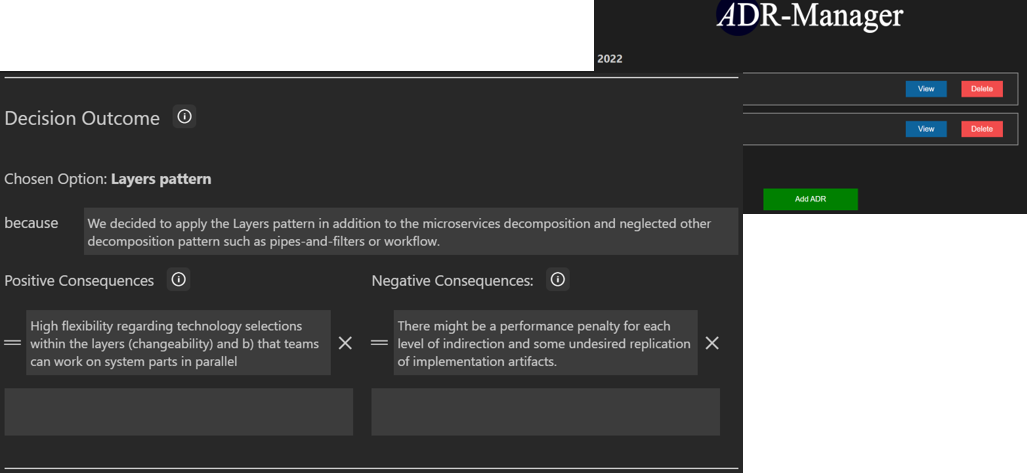
ADR Manager (VS Code) is a Visual Studio Code Plugin, resulting from Steve Chen’s bachelor thesis project at the University of Stuttgart. It supports two modes, basic and professional, and is organized by template sections (such as Decision Outcome):
The second tool, ADR Manager, is a Web application connecting to a GitHub repository to render all ADRs. It also supports create, read, update, delete operations on ADRs in its editor:
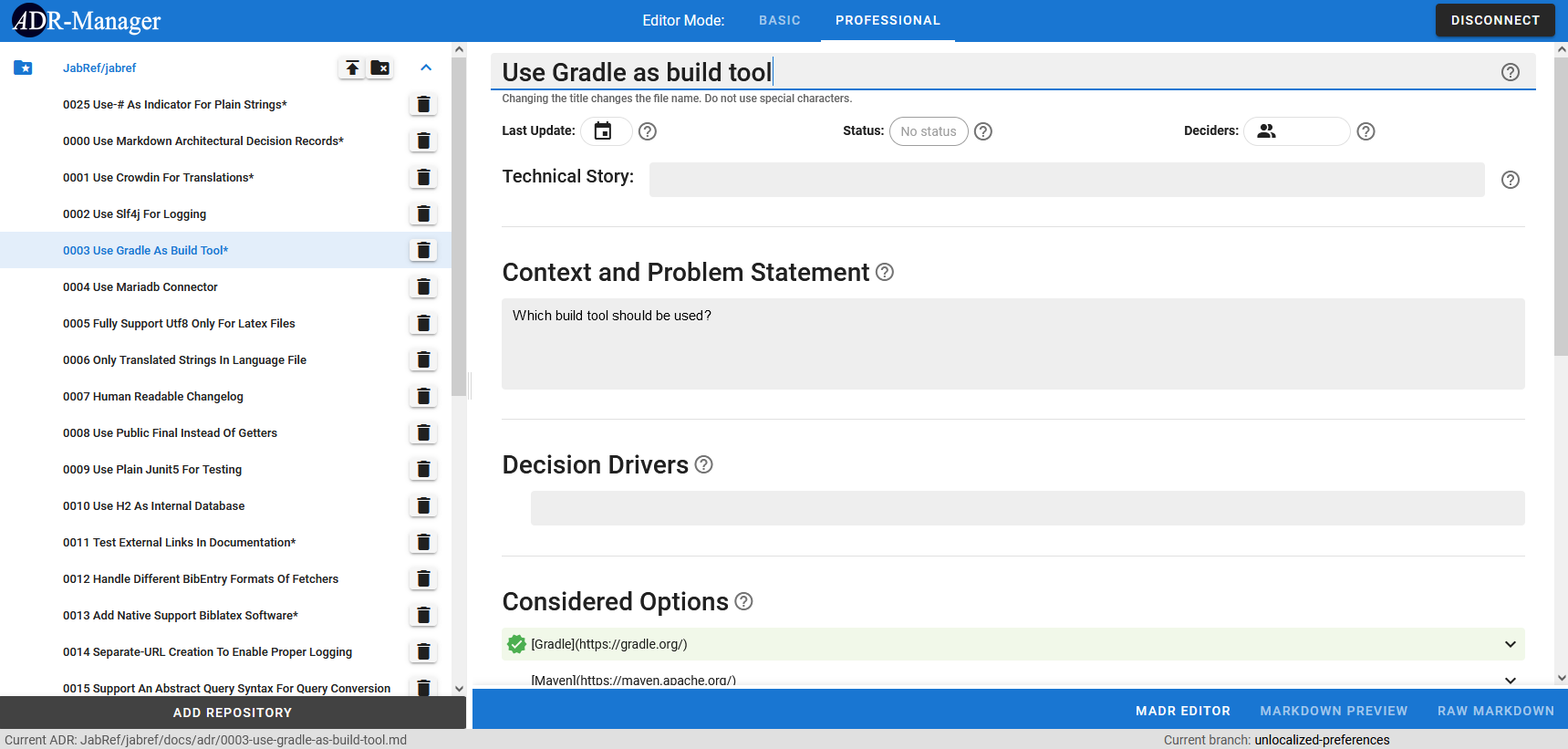
This application was developed by Daniel Abajirov, Katrin Bauer and Manuel Merkel in a student research project, also at the University of Stuttgart.
At the time of writing (November 2022), both tools worked with Version 2.1.2 of the MADR template and expect any existing ADR files to be formatted accordingly. They create (M-)ADRs in this format as well.
More tools are listed at adr.github.io/adr-tooling/.
Final Thoughts
Architectural decision capturing has become an essential practice on agile and any other projects. The MADR template and tools make it very easy to get going. 2100 stargazers can’t be (too) wrong, can they? 😇
Compared to some Wiki markup languages or proprietary document formats, Markdown has many advantages. As plain text, Markdown is version control- and collaboration-friendly.3 It forces you to focus on your message (here: ADR content) and logical text flow rather than presentation (page breaks, text formatting and so on) while writing. Tools such as HTML renderers are available, but not mandatory to use.4
In general, one is free to revise the MADR template and adjust optional/required parts according to project/product context and development culture/practices. We recommend doing so early if at all. Stick to what you have decided for.
The adr.github.io website features other templates and AD practices.
Feedback and contributions are very welcome! Issues and pull requests in the MADR GitHub repository are good ways to reach us.
– Olaf Zimmermann (with Oliver Kopp, MADR project lead and template co-creator)
PS: There is a Medium version of this post.
Acknowledgement. Justus Bogner reviewed an intermediate draft of this post and supervised the student projects yielding the two ADR Manager tools.
Notes.
-
Usually “measurable effect” is insufficient to decide on significance of a design issue. In response, the blog post “Architectural Significance Criteria and Some Core Decisions Required” proposes 5+2 criteria for “Architectural Significance”: business value/risk, stakeholder concern, quality level, external dependencies, cross-cutting, first-of-a-kind, past troublemaker. ↩
-
Michael Nygard’s ADR format is not the initial/first one ever created (see here for evidence), but a very visible and well-adopted one. ↩
-
Think git, Gitlab, GitHub with features such as auto-merge, history, release management, CI/CD pipes and so on. ↩
-
You might want to check out the universal document converter pandoc. ↩